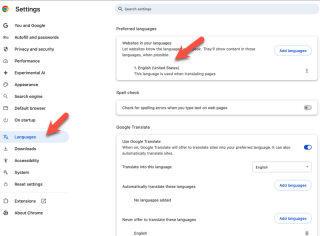
| Now a days, many website automatically detect language user use, and display the necessary information based on that language. And this is making me feel painful. I had some research how do I set the default language in my Google Chrome Browser, and foud a solution to set that language. I learned that mine was based on the OS Whenever I browse new website, To change your Chrome browser's default language on your laptop → open Chrome → click the three dots in the top right corner → select "Settings" → navigate to "Languages" on the left side; under "Preferred languages" → choose the language you want to use and select "More" to set it as the display language if needed 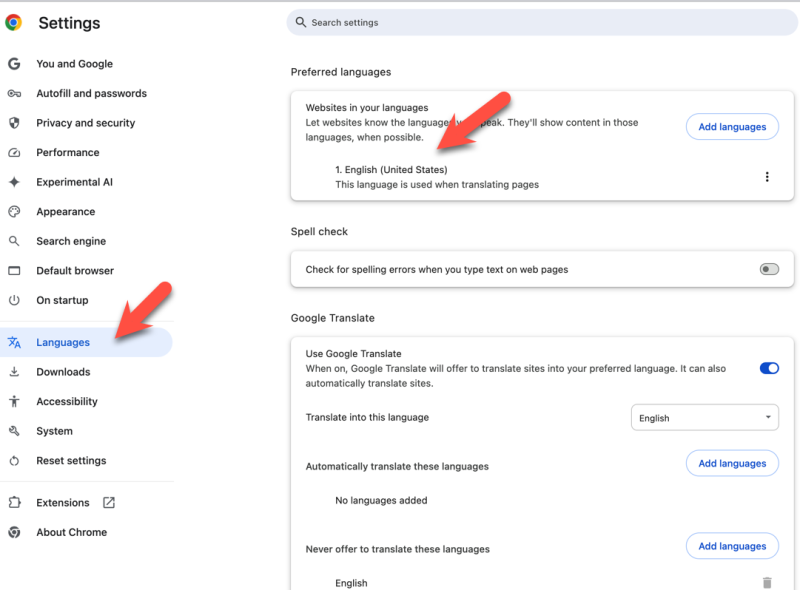
Here's associated data for your Chrome browser language issue, combined with internet information:
- Automatic Language Detection: Many websites use geolocation and browser settings to detect your language, making it difficult to control what language you see. This is a common source of frustration for users.
- Other Language Settings: You might need to change the language settings of your operating system (Windows, macOS, Linux) to ensure consistency across your computer.
- Website-Specific Language Settings: Some websites allow you to manually select a language. Look for language options in their menus, usually in the footer or top right corner.
- Chrome Extension for Language Change: There are Chrome extensions available that let you quickly switch languages on websites. These extensions often offer additional features like translation.
- Consider Using a VPN: A Virtual Private Network (VPN) can change your perceived location, potentially influencing the language detection on websites.
|