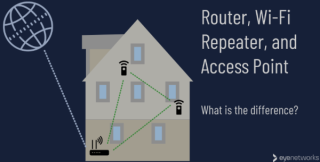
| In our fast-paced digital age, a strong and reliable Wi-Fi connection is essential for smooth internet browsing, streaming, gaming, and online communication. If you've ever experienced dead zones or weak signals in certain areas of your home or office, a Wi-Fi repeater might be the solution you need to extend your network range. In this blog post, we'll explore what a Wi-Fi repeater is, how it works, and provide you with step-by-step instructions on setting up and optimizing its performance. What is a Wi-Fi Repeater?A Wi-Fi repeater, also known as a range extender, is a device designed to enhance and extend the coverage of your existing Wi-Fi network. It works by receiving the wireless signal from your router, amplifying it, and then rebroadcasting it to areas with weaker signal strength. Essentially, a Wi-Fi repeater helps eliminate dead zones and ensures a more consistent and reliable connection throughout your space. 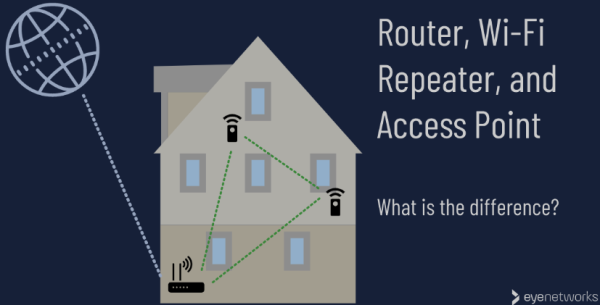
Choosing the Right Wi-Fi Repeater:Before diving into the setup process, it's crucial to choose the right Wi-Fi repeater for your needs. Consider factors such as compatibility with your router, the range you need to cover, and the maximum data transfer speed. Look for reputable brands and read reviews to ensure you're investing in a reliable device. Setting Up Your Wi-Fi Repeater:- Placement is Key:
Choose a central location between your router and the areas with weak signal coverage. This helps the repeater receive a strong signal from the router and effectively extend it to the desired areas. - Power Up the Repeater:
Plug in your Wi-Fi repeater and wait for it to power up. Most repeaters have indicator lights that will guide you through the setup process. - Connect to the Repeater:
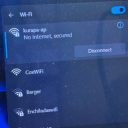
Use a device (e.g., laptop, smartphone, or tablet) to connect to the Wi-Fi repeater's network. This usually involves selecting the repeater's network from the available Wi-Fi networks and entering the provided password. - Access the Repeater's Settings:
Open a web browser and enter the repeater's IP address (commonly found in the user manual). Log in using the default credentials and proceed to the setup wizard. - Configure Repeater Settings:
Follow the on-screen instructions to configure the repeater settings. This typically involves selecting your existing Wi-Fi network, entering the password, and setting up a new network name (SSID) for the extended network. - Optimize Placement and Test:
Fine-tune the repeater's placement for optimal performance. Test the connection in previously weak signal areas to ensure a noticeable improvement.
Tips for Optimal Performance:- Place the repeater away from obstructions like walls and electronic devices.
- Regularly update the repeater's firmware for improved stability and security.
- Consider a dual-band repeater for better performance in crowded Wi-Fi environments.
Conclusion:A Wi-Fi repeater is a cost-effective and efficient solution for expanding your Wi-Fi coverage and eliminating dead zones. By following these steps and considering the tips for optimal performance, you can enjoy a seamless and robust wireless network throughout your home or office. Upgrade your connectivity today and say goodbye to Wi-Fi woes! |