|
Blocking third-party cookies is a privacy measure taken by web browsers and users to prevent websites from tracking users' browsing activities across different sites. Third-party cookies are set by domains other than the one the user is currently visiting, often used for advertising and tracking purposes. Here's how the blocking of third-party cookies is handled in major web browsers:
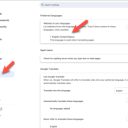
Google Chrome As of my last update in April 2023, Google had announced plans to phase out third-party cookies in Chrome by the end of 2023 as part of their Privacy Sandbox initiative. Users can manually block third-party cookies by: - Opening Chrome settings.
- Navigating to Privacy and security > Cookies and other site data.
- Selecting "Block third-party cookies".
Mozilla Firefox Firefox blocks third-party cookies by default through its Enhanced Tracking Protection (ETP) feature. To check or change these settings: - Click the menu button and select Options/Preferences.
- Go to the Privacy & Security panel.
- Under Enhanced Tracking Protection, ensure that it's set to "Strict" for the broadest protection.
Apple Safari Safari also blocks third-party cookies by default using Intelligent Tracking Prevention (ITP). Users generally don't need to change any settings for this feature to work. Microsoft Edge - Edge allows users to block third-party cookies by:
- Opening Edge and going to Settings.
- Selecting Privacy, search, and services.
- Under Tracking prevention, choosing "Balanced" (recommended) or "Strict" for more aggressive blocking.
Why Block Third-Party Cookies? Blocking third-party cookies enhances privacy by limiting cross-site tracking. This means advertisers and other third parties are less able to track your browsing activities across different websites to serve personalized ads or collect personal data without consent. Impact of Blocking While blocking third-party cookies is good for privacy, it may affect user experience on some websites. For instance, it could interfere with social media integrations, personalized content, or cross-site logins. Alternatives and Future Trends As the digital ecosystem moves away from third-party cookies, new privacy-focused solutions like Google's Privacy Sandbox are emerging. These technologies aim to provide personalized experiences and advertising without compromising user privacy. Additionally, the rise of first-party data strategies, where data is collected directly and with consent, is becoming more important for businesses and advertisers.
Key Takeaways:
- Third-party cookies are blocked by major web browsers to enhance user privacy.
- Blocking third-party cookies restricts tracking of browsing activities across websites.
- Google Chrome, Mozilla Firefox, Apple Safari, and Microsoft Edge all offer options to block or limit third-party cookies.
- Blocking third-party cookies may impact user experience on certain websites, affecting features like personalized content or social media integrations.
- New privacy-focused technologies and first-party data strategies are emerging to address the limitations of third-party cookies.
|