Automatically copy text to the clipboard when dragging the mouse in the Cursorupdated at Mar 19, 2026 320 320 I was looking for a feature that automatically copies selected text to the clipboard as soon as you highlight it with your mouse, |
Automatically copy text to the clipboard when dragging the mouse in the Cursorupdated at Mar 19, 2026 320 I was looking for a feature that automatically copies selected text to the clipboard as soon as you highlight it with your mouse, |
Automatically copy text to the clipboard when dragging the mouse in the Cursor | |||
320  0 0  0 0 | |||
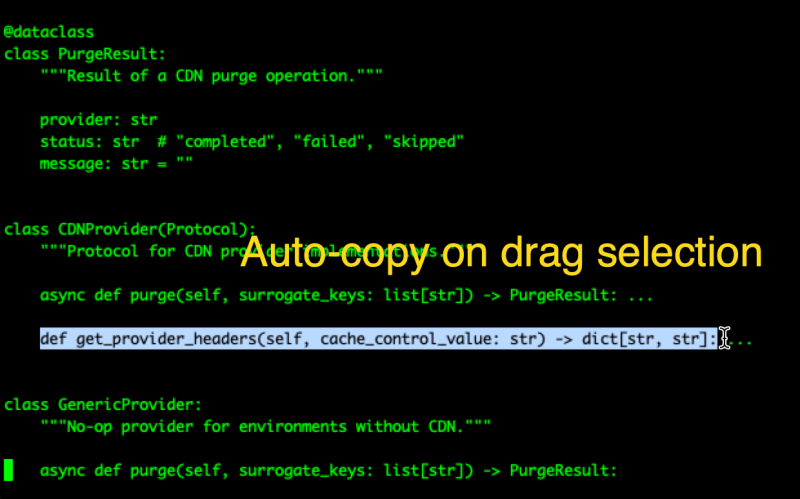
| I was looking for a feature that automatically copies selected text to the clipboard as soon as you highlight it with your mouse, without needing to press Ctrl+C (or Cmd+C on Mac). It is actually the default behavior on iTerm like below:
While Cursor or VS Code, like most text editors, doesn't have this exact "auto-copy on drag selection" functionality built-in natively, you can achieve it by leveraging its compatibility with VS Code extensions.
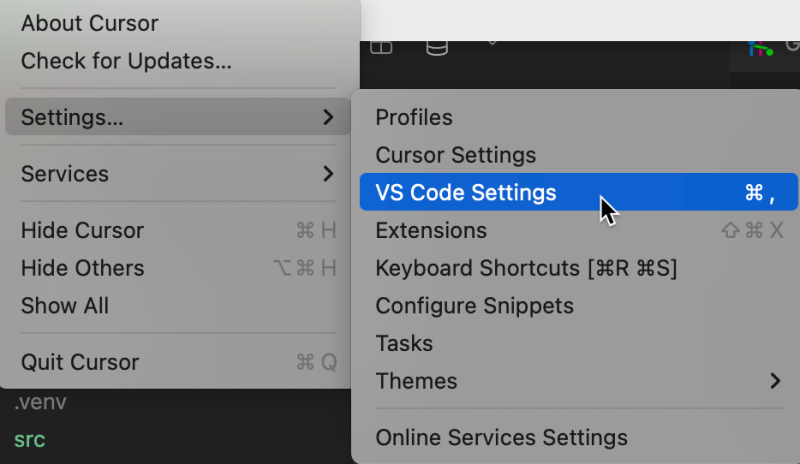
Here's how to set it up: Enable Automatic Copy in Cursor
Tags: Auto Copy Automatic Copy Cursor Drag and Copy VS Code terminal.integrated.copy   | |||
| |||
| | |||
|
|

 1950
1950